
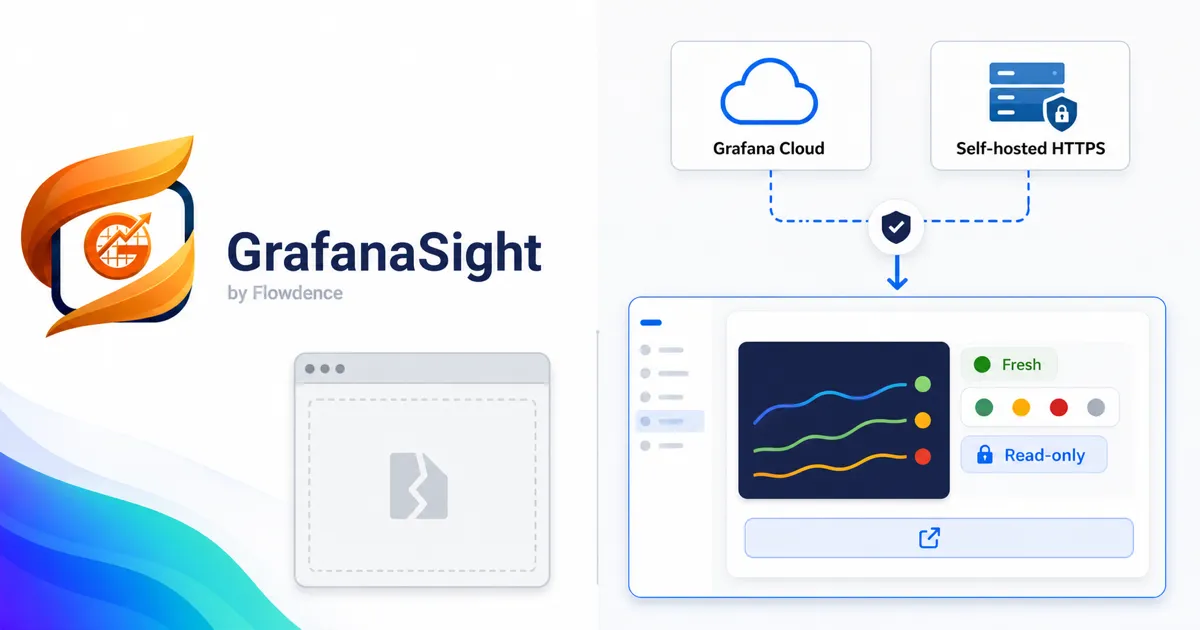
If you run Grafana for observability and document your systems in Confluence, you have almost certainly tried to get a dashboard from one into the other. The instinct is reasonable: a runbook or incident page is far more useful with the actual graph next to the words. The question is how to embed Grafana in Confluence so the result is reliable, secure, and still works next week.
There are two real options: the do-it-yourself iframe or HTML macro, and a Forge-native app like GrafanaSight. This post walks through how each one actually behaves, where the iframe route falls down, and when each approach makes sense.
The iframe / HTML macro approach
The classic method is to open a Grafana panel, copy its share URL, and paste it into a Confluence HTML macro or a third-party iframe macro as the src of an <iframe>. In a simple setup — self-hosted Grafana, everyone on the same network, a single dashboard that never moves — this can work. In most real organizations, it runs into a series of walls.
Grafana blocks framing by default
Grafana ships with security headers that stop other sites from framing it. X-Frame-Options and the Content-Security-Policy frame-ancestors directive will leave your Confluence page showing a blank box until a Grafana administrator sets allow_embedding = true and works through the related cookie SameSite and CORS settings. On Grafana Cloud and other managed deployments, that toggle is often restricted, so the embed never renders at all.
Every viewer needs their own Grafana session
An iframe loads the live Grafana app in the viewer’s browser. That means each person reading the Confluence page must already be authenticated to Grafana, or you have to enable anonymous access or hand out public snapshot links. Anonymous access and public snapshots widen your security surface — you are exposing internal monitoring to anyone who can reach the page. If a viewer is not logged in, they see a Grafana login screen embedded in your runbook instead of the graph.
The embed is static and brittle
A pasted URL hardcodes one panel, one dashboard, and one time range. There is no refresh control, no caching, and no graceful handling of change. Rename the dashboard, reorganize a folder, rotate an API key, or change a panel ID, and the embed silently breaks. Multiply that across dozens of runbooks and you have created ongoing maintenance debt that nobody owns.
Admins often disable the HTML macro entirely
Because the HTML macro can inject arbitrary markup, many Confluence administrators disable it for security reasons, which is why a separate iframe macro app is frequently needed in the first place. You end up adding a Marketplace app anyway — just one that does nothing but render a frame, with all the problems above still in place.
The Forge-native approach: GrafanaSight
GrafanaSight takes a different path. It runs on Atlassian Forge, connects once at the space level to Grafana Cloud or a Forge-reachable self-hosted HTTPS instance, and converts a supported panel or dashboard URL into a refreshable snapshot macro rendered directly in the page — no iframe of the live Grafana app involved. An Atlassian administrator approves the exact Grafana destination before the app connects.
That architectural difference is what removes the iframe approach’s failure modes:
- No framing headers to fight. Because GrafanaSight does not embed the live Grafana app in an iframe, Grafana’s
X-Frame-Optionsandframe-ancestorsrules are irrelevant. There is nothing to whitelist. - Authentication handled once. The Grafana connection is configured for the space, not per viewer. Readers see the snapshot whether or not they personally have a Grafana login, and you are not exposing Grafana through anonymous access.
- Cache-first and refreshable. Snapshots are cached so Confluence pages stay fast, and they refresh on demand or on a schedule rather than re-loading a live app every time someone opens the page.
- More than a picture. GrafanaSight adds alert health and page refresh controls, annotation timelines, and panel and dashboard macros with time-range control — plus a cache-first Rovo specialist that can answer questions about your dashboards and alerts from grounded data.
If you have been maintaining iframe embeds, the practical difference is that you paste the same Grafana URL and get something that keeps working — and that the rest of your team can read without a Grafana account.
Side-by-side comparison
| Concern | iframe / HTML macro | GrafanaSight (Forge-native) |
|---|---|---|
| Grafana embedding headers | Must set allow_embedding; often blocked on Cloud | Not applicable — no live frame |
| Viewer authentication | Each viewer needs Grafana access or anonymous access | Configured once at the space level |
| Security exposure | Anonymous access / public snapshots widen surface | Read-only fetch through Forge to the approved Grafana destination |
| Refresh | Static URL, no control | Cache-first, on-demand or scheduled |
| Resilience to change | Breaks on dashboard/panel changes | Macro re-renders from the connection |
| Page load speed | Loads full live app per view | Cached snapshot |
| Beyond the graph | Just the panel | Alert health, annotations, Rovo specialist |
| Admin friction | HTML macro often disabled | Standard Marketplace app install |
When each one makes sense
The iframe or HTML macro is a fine choice when you control Grafana’s embedding settings, every viewer already has Grafana access, and the embed is short-lived — a quick personal dashboard, a temporary demo, or an internal page where you do not mind it breaking.
A Forge-native app like GrafanaSight is the better fit when the page is shared, long-lived, or read by people who do not use Grafana — runbooks, incident postmortems, service status pages, and exec-facing summaries — and when you want the snapshot to stay current without manual upkeep. For more on why the Forge model matters here, see why Forge-native matters for observability apps.
Getting started
If you are tired of stale screenshots and broken iframes, the migration is mostly copy-and-paste: take the same Grafana URLs you already use and render them through GrafanaSight macros instead.
- Learn more on the GrafanaSight product page and the GrafanaSight documentation.
- See the approach in practice in how to embed Grafana dashboards in Confluence without screenshots.
- Put live data in alerting and incident work with Grafana alerts in Confluence for real-time service health and incident postmortems with live Grafana data in Confluence.