
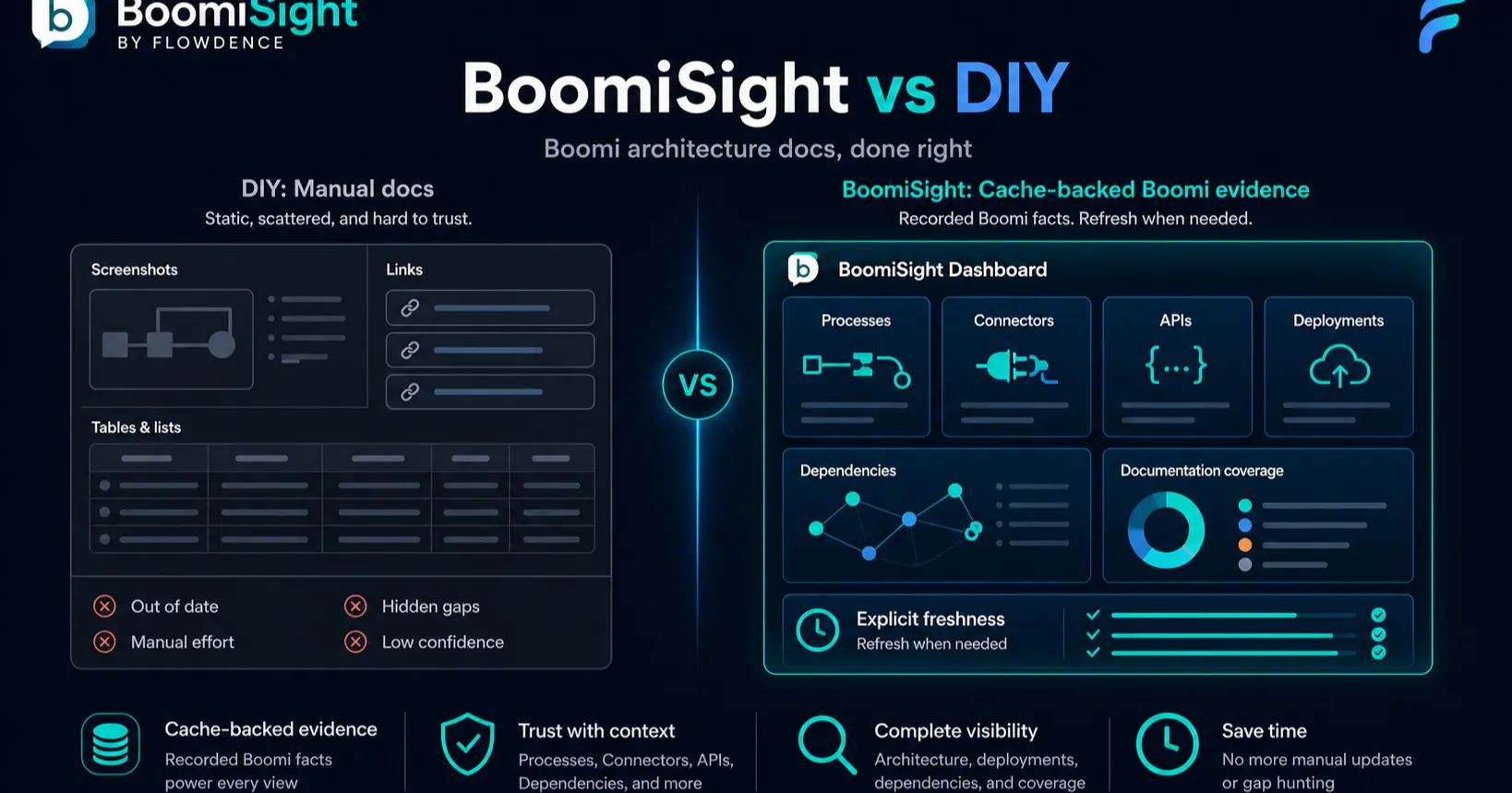
Boomi architects and developers often have the same documentation problem: the first architecture page is easy to publish, but hard to keep correct. Processes move, connectors change, deployments drift across environments, and screenshots turn into historical evidence faster than anyone expects.
The do-it-yourself version is familiar. Teams paste Boomi links, add process screenshots, copy deployment notes, export CSVs, and maintain a connector table in Confluence. The page may look complete, but every important fact has to be refreshed by hand.
BoomiSight takes a different approach. It brings Boomi context into Confluence architecture documentation so the page can explain the integration and show current platform evidence at the same time.
The DIY Boomi Architecture Pattern
A manual Boomi architecture page might include:
- A process diagram and ownership section.
- Links to key Boomi processes, Atoms, environments, APIs, and deployments.
- Screenshots of process configuration or runtime views.
- A copied connector inventory.
- A hand-maintained environment/version table.
- Release notes and support instructions.
This is a reasonable start. It becomes fragile when Confluence is the shared source for architecture decisions, onboarding, release review, and support handoff.
Every copied field becomes a promise someone has to keep. If the page says one connector is used but the process now depends on three, the architecture doc becomes a liability.
What BoomiSight Adds
BoomiSight is built for Confluence spaces where integration documentation must stay connected to Boomi:
- Process Snapshot macros for process identity, folder path, revision, component type, and connector context.
- Atom Health and Environment Summary macros for runtime and environment context.
- API Snapshot macros for published API details and endpoint shape.
- Execution Monitor and Deployment Tracker macros for support and release evidence.
- Connector Inventory views that help architects reason about dependencies and blast radius.
- Environment Comparison for deployment/version drift across environments.
- Access diagnostics so admins know whether datasets are available, limited, blocked, or unsupported.
The important shift is that Confluence stops being a static report and becomes a maintained architecture surface.
Side-by-Side Comparison
| Concern | DIY Boomi architecture docs | BoomiSight |
|---|---|---|
| Initial setup | Very fast | Requires Marketplace install and space configuration |
| Data freshness | Manual screenshot/export refresh | Cached Boomi snapshots with refresh controls |
| Process documentation | Diagrams and links | Process Snapshot macros in the page |
| Connector mapping | Copied inventory | Connector Inventory view for architecture review |
| Environment drift | Manual comparison | Environment Comparison dashboard |
| Access readiness | Usually discovered after a failure | Verify Connection & Access diagnostics |
| Reader experience | Readers chase Boomi links | Readers see context in Confluence |
DIY is fine for a temporary page. BoomiSight is better when the architecture doc is a living artifact that multiple teams rely on.
When DIY Is Enough
Keep it manual when the integration estate is small, the page is short-lived, and the people reading it already know where to verify details in Boomi.
DIY also works when the organization is not ready to configure Boomi API access for Confluence. That setup should be deliberate, owned, and documented.
When BoomiSight Wins
BoomiSight is the stronger fit when:
- Architects maintain integration landscape pages in Confluence.
- Developers need runbooks that reflect current Boomi processes and deployments.
- Release managers need drift evidence before a change review.
- Support teams need connector and execution context without hunting through Boomi.
- Auditors need reviewable evidence attached to the page narrative.
It is especially useful when Confluence is the coordination layer for people who do not spend their day in the Boomi console.
Start Small
The safest path is to update one high-value architecture page:
- Configure BoomiSight in the target Confluence space.
- Run access diagnostics and fix missing permissions before launch.
- Add a Process Snapshot for the primary integration.
- Add Connector Inventory or Environment Summary where dependency context matters.
- Use Environment Comparison during the next release review.
Once one page proves useful, expand to the next integration family.
Next Steps
- Read the BoomiSight documentation.
- Build a page with BoomiSight macros.
- Review architecture drift in Boomi architecture drift in Confluence.