
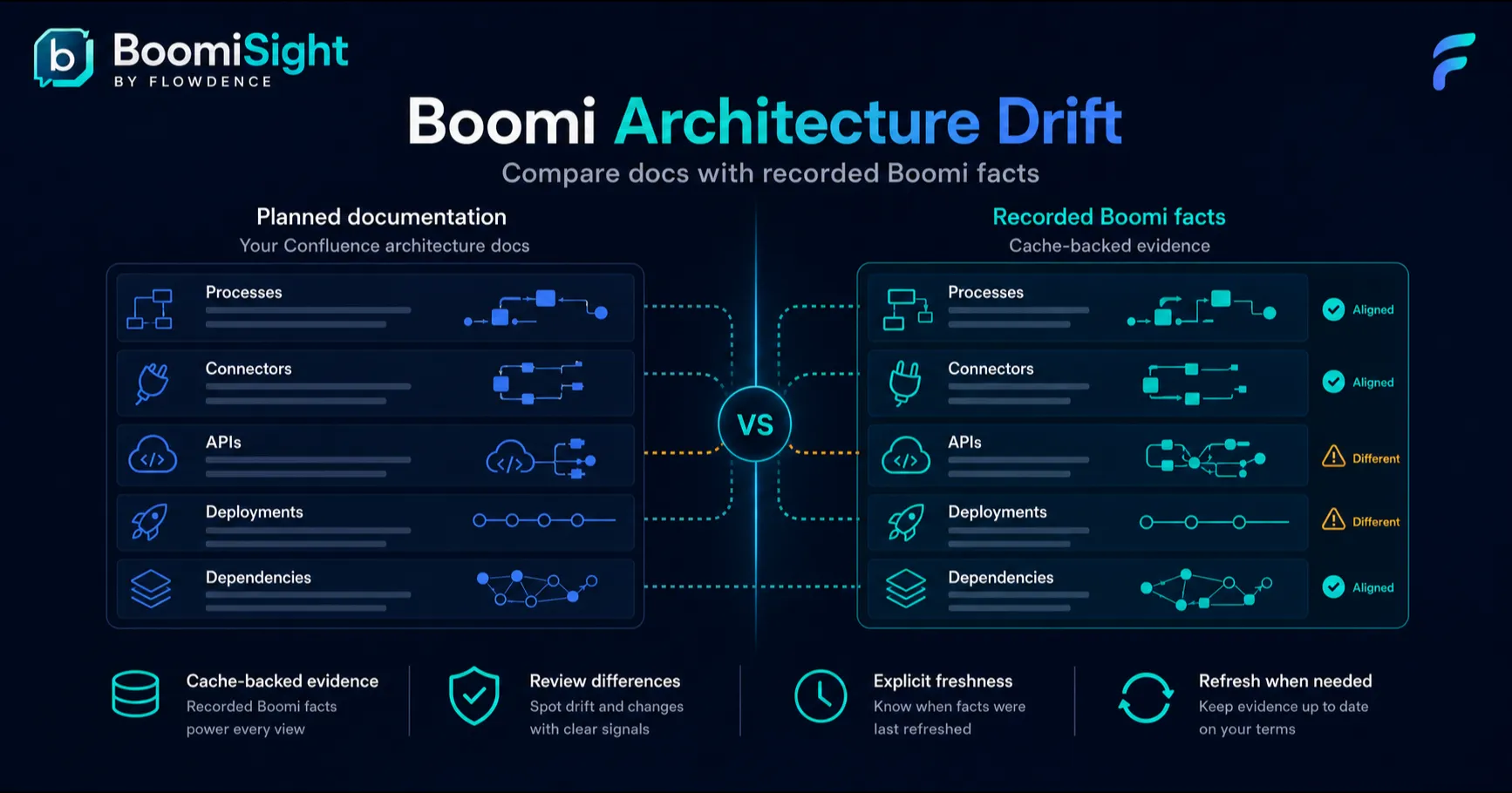
Architecture drift is not always dramatic. Sometimes it is a connector added during a support fix. Sometimes it is a process version that reached test but not production. Sometimes it is an API shape that changed after the design page was approved.
For Boomi teams, that kind of drift can turn Confluence architecture docs into historical fiction. The page says one thing; Boomi says another.
BoomiSight helps teams review Boomi architecture drift from Confluence by adding process, environment, connector, API, deployment, and execution context to the pages where architecture and release work is documented.
What Counts As Architecture Drift?
Boomi architecture drift can include:
- A documented process that now has different connectors or dependencies.
- A process deployed in one environment but missing in another.
- Different versions across development, test, and production.
- API details that no longer match the page description.
- Runtime or Atom context that changed after the runbook was written.
- Release notes that do not reflect the current deployment state.
Not every mismatch is a defect. During a controlled rollout, environments are expected to differ. The problem is undocumented drift: when nobody can quickly tell whether the difference is intentional, risky, or stale.
Why Drift Hides
Drift hides because each tool shows a slice of the truth.
Boomi has the platform detail. Confluence has the architecture narrative and support context. Spreadsheets have evidence someone exported last week. Chat has the decision that explained why production paused.
When those pieces are separate, teams rely on memory. That is fragile during incidents, design reviews, and audits.
Reviewing Drift With BoomiSight
BoomiSight gives architecture pages a few practical review surfaces:
- Process Snapshot for current process identity, folder, revision, and connector context.
- Connector Inventory for dependency and blast-radius review.
- Environment Summary and Atom Health for runtime scope.
- API Snapshot for published API details.
- Environment Comparison for deployment/version drift across environments.
- CSV and HTML exports for review packets.
A practical review flow looks like this:
- Open the architecture or release review page in Confluence.
- Review the BoomiSight process and connector context.
- Check environment summary and deployment state.
- Use Environment Comparison for drifted rows.
- Refresh if the decision needs current data.
- Add a note explaining which differences are intentional.
- Export evidence if the review requires a packet.
The output is not just a dashboard. It is current evidence attached to the architecture narrative your team already follows.
When Drift Is Acceptable
Intentional drift should be visible and time-bound. For example:
- Development is ahead of test during feature validation.
- Production is held back while a change advisory board reviews risk.
- A connector change is staged in one environment before credential rotation.
- A runtime migration is rolling out in waves.
Those cases are fine when the page says what is happening and why. They become risky when the architecture doc still claims all environments are aligned.
Where To Put Drift Evidence
Confluence pages are useful because they can combine platform context and explanation:
- Architecture review pages can show which dependencies changed.
- Release review pages can show which resources moved.
- Support runbooks can list expected drift states.
- Audit packets can include exported evidence.
- Post-incident reviews can compare pre-incident and post-incident state.
That is the layer BoomiSight is designed for: current enough to inform decisions, readable enough for humans, and exportable enough for governance.
Next Steps
- Review the Environment Comparison dashboard docs.
- Follow the deployment drift tutorial.
- Compare approaches in BoomiSight vs DIY Boomi architecture docs.